Author: Daniel Jordan Viray
How a missing kernel module sent me down a rabbit hole, and the patch that finally fixed it
May 15, 2026 · Autonomy & Mapping · by Daniel Jordan Viray
Note: Written with AI, verified by me. Article written based on my back-and-forth conversation with AI during development.
I’m building an autonomous drone that needs to hold position indoors — no GPS, just the drone figuring out where it is from what it can see. The technique for this is called Visual Inertial Odometry (VIO), which fuses two streams of data:
Camera frames, which the drone uses to track features in the environment (a corner of a doorframe, a poster on the wall, the pattern on the floor). When those features shift in the camera’s view, the drone can infer it has moved.
IMU data from an accelerometer and gyroscope, which measures rotation and linear acceleration directly. The IMU updates much faster than the camera (200 Hz vs 30 Hz) and can disambiguate “did I rotate or did I translate?” — something a camera alone can’t reliably do.
Both streams need to feed a state estimator (typically an Extended Kalman Filter or similar) that produces a pose estimate. That estimate then gets sent to the flight controller as a position reference, the same way it would use GPS in an outdoor flight.
My hardware:
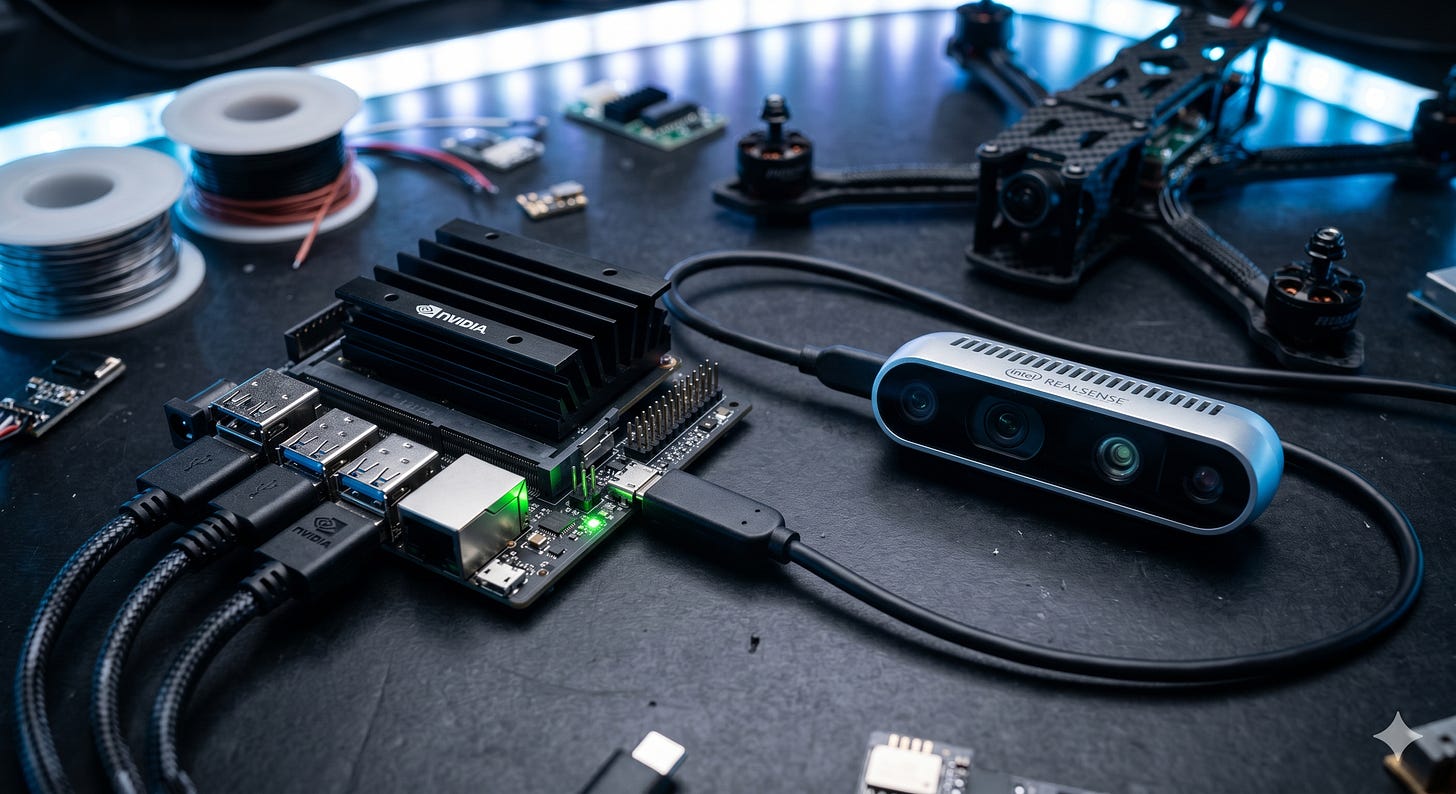
NVIDIA Jetson Orin Nano running JetPack 6.2.2 — the companion computer
Intel RealSense D455 depth camera with built-in IMU (a BMI085) — the sensor
Pixhawk + PX4 — the flight controller (not relevant for this post, but for context)
The D455 is a great choice for this use case because it has hardware-synchronized camera and IMU on the same circuit board, which solves the toughest problem in VIO: keeping the two sensors time-aligned. If they drift even a millisecond apart during fast motion, the fusion math goes wrong.
So far so good. Until I tried to actually publish the data.
I’d installed realsense-ros and ran the standard launch command:
bash
ros2 launch realsense2_camera rs_launch.py \
  enable_gyro:=true \
  enable_accel:=true \
  unite_imu_method:=2
Color and depth topics published normally. The IMU topic was missing entirely. In the launch logs, this caught my eye:
WARNING [281472225241312] (ds-motion-common.cpp:452) No HID info provided, IMU is disabled
ERROR [281472225241312] (d400-motion.cpp:185) Intel RealSense D455 #248622302926 - HID Motion Sensor Failure! bad optional access
Color worked. Depth worked. The IMU was dead.
On Windows the same camera worked fine. So it wasn’t the camera hardware; it had to be the companion computer, which was running Nvidia Jetpack 6.2.2 / Linux / Ubuntu.
The D455’s IMU exposes itself to Linux through a kernel subsystem called HID-Sensor — the same one that handles accelerometers in laptops and tablets. For Linux to talk to the IMU, the kernel needs specific modules loaded:
hid_sensor_hub — the main translator
hid_sensor_iio_common — shared sensor code
hid_sensor_trigger — manages sampling timing
hid_sensor_accel_3d — accelerometer driver
hid_sensor_gyro_3d — gyroscope driver
These are upstream Linux modules. They’ve been in the kernel for years. On a standard Ubuntu install, they’re just there.
But on Jetson Orin Nano with JetPack 6, they aren’t. NVIDIA ships their own kernel build (5.15.185-tegra in my case), and they made a config choice to leave HID sensor support disabled.
bash
# Are the modules even present on disk?
find /lib/modules/$(uname -r) -name "hid*sensor*"
# (empty output means they don't exist)

# Are they loaded?
lsmod | grep hid_sensor
# (empty)

# Could they be loaded if I tried?
sudo modprobe hid_sensor_accel_3d
# modprobe: FATAL: Module hid_sensor_accel_3d not found in directory /lib/modules/5.15.185-tegra

# What does the kernel config itself say?
zcat /proc/config.gz | grep -i hid_sensor
# # CONFIG_HID_SENSOR_HUB is not set
That last line is the smoking gun. CONFIG_HID_SENSOR_HUB is not set means when NVIDIA compiled the kernel, they explicitly turned this off. The modules were never built. They cannot be loaded because they do not exist.
The result: the D455’s IMU sends HID descriptors over USB, the kernel has no driver to translate them, and librealsense gives up with “HID Motion Sensor Failure.”
There are three ways to fix this. I evaluated all of them. (Spoiler: Option 3 was the solution I went with).
librealsense supports building with -DFORCE_RSUSB_BACKEND=true, which bypasses the kernel HID layer entirely and reads the IMU through libusb. This is how it works on Windows.
Downsides: Multiple users on the Intel RealSense GitHub report frame drops, Jetson freezes, and IMU stream issues with this backend on Jetson Orin. It also means every container or project that uses librealsense needs its own custom build. It’s a workaround, not a fix.
JetsonHacks publishes prebuilt kernel modules — but they’re compiled against kernel 5.15.148-tegra (JetPack 6.2 / L4T 36.4.3). Modern JetPack ships 5.15.185 (L4T 36.5.0). Kernel modules generally won’t load across versions due to ABI version checks (“vermagic”).
You could downgrade your kernel to match the prebuilt modules, but that means pinning yourself to an older version and losing future updates. Not great.
The proper fix. Download the kernel source for the exact version you’re running, apply the RealSense patches, enable the HID sensor options in the config, build only the six modules we need, install them.
This is what JetsonHacks’ tooling was designed for, but their existing instructions assume kernel 5.15.148. This post is a walkthrough of doing the same thing on kernel 5.15.185, which is what current JetPack 6.2.2 ships.
I chose Option 3 because:
It’s the standard approach (kernel HID is well-tested upstream code)
It works for the host and any Docker container sharing the host kernel — no per-container changes needed
It’s a one-time fix, not a workaround that has to be maintained per project
At a high level, building a kernel module from source has four phases:
Get source — download the kernel source code for your exact version
Configure and patch — apply RealSense patches, then enable HID sensor options in the kernel config
Build — compile the modules (~37 minutes on the Orin Nano)
Install — copy the resulting .ko files to /lib/modules/, run depmod, reboot, verify
We won’t rebuild the kernel image — just the modules. This is important. The kernel image is the big binary your bootloader loads; replacing it carries real boot risk. Modules are loadable add-ons — installing one is more like installing a USB driver than modifying the OS. Worst case: a module doesn’t load and you delete the file.
Jetson Orin Nano (or any Orin variant) on JetPack 6.x
RealSense D455 camera
About 15 GB free disk space (source + build artifacts)
~2 hours total of focused time, split across phases
JetsonHacks maintains two repos that work together:
jetson-orin-kernel-builder — generic build tooling (download source, configure, compile)
jetson-orin-librealsense — the RealSense-specific patches
Clone both:
bash
cd ~
git clone https://github.com/jetsonhacks/jetson-orin-kernel-builder.git
git clone https://github.com/jetsonhacks/jetson-orin-librealsense.git
The librealsense repo also ships prebuilt modules for 5.15.148-tegra. Skip those — they won’t load on 5.15.185-tegra due to vermagic mismatch (I tried). We’re building from source.
Before running the download script, sanity-check that NVIDIA actually hosts source for your kernel version. The download URL is dynamically constructed from your L4T release:
bash
# Check your L4T version
cat /etc/nv_tegra_release
# # R36 (release), REVISION: 5.0, GCID: ...

# This translates to URL pattern: r36_release_v5.0
# Confirm the source archive exists before downloading 200+ MB
wget --spider https://developer.nvidia.com/embedded/l4t/r36_release_v5.0/sources/public_sources.tbz2
# Should follow redirects and end with: Remote file exists.
If you get a 404, NVIDIA may not have published source for your specific L4T release yet (this happens occasionally with new releases). If so, you’d need to wait or work with the closest available source — but as of May 2026, R36.5.0 source is available.
Now run the script:
bash
cd ~/jetson-orin-kernel-builder/scripts
./get_kernel_sources.sh
What it does:
Reads /etc/nv_tegra_release to detect your L4T version
Downloads public_sources.tbz2 (221 MB for R36.5.0)
Extracts kernel source to /usr/src/kernel/kernel-jammy-src/
Extracts NVIDIA out-of-tree module source to /usr/src/
Copies your running kernel’s config (/proc/config.gz) into the source tree as the starting .config
Sets LOCALVERSION so built modules will be tagged with your kernel suffix
Verify it worked:
bash
ls /usr/src/kernel/kernel-jammy-src/
# Should show standard kernel directories: arch, drivers, fs, include, kernel, etc.Now the librealsense repo’s patches come in. There are three patches in total, though only two get applied because one has already been incorporated upstream:
PatchPurposerealsense-metadata-focal-hwe-5.15.patchAdds RealSense-specific streaming formatsrealsense-camera-formats-focal-hwe-5.15.patchEnables per-frame UVC metadata accessrealsense-hid-focal-hwe-5.15.patchHID accel/gyro fixes — already in upstream 5.15.x
Run the patch script:
bash
cd ~/jetson-orin-librealsense/build
./patch-for-realsense.sh
What I expected here was potential trouble. The patches were written for kernel 5.15.148. My kernel is 5.15.185 — the source files have shifted slightly between versions. But the GNU patch tool is smart enough to find context anchors and apply the changes at the right location even if line numbers have drifted.
What I actually saw:
Applying patch 1: realsense-metadata-focal-hwe-5.15.patch (Streaming formats)...
patching file drivers/media/usb/uvc/uvc_driver.c
Hunk #1 succeeded at 3220 (offset 56 lines).
patching file drivers/media/usb/uvc/uvcvideo.h
Applying patch 2: realsense-camera-formats-focal-hwe-5.15.patch (UVC metadata attributes)...
patching file drivers/media/usb/uvc/uvc_driver.c
patching file drivers/media/usb/uvc/uvcvideo.h
patching file drivers/media/v4l2-core/v4l2-ioctl.c
Hunk #2 succeeded at 1400 (offset 12 lines).
patching file include/uapi/linux/videodev2.h
Hunk #1 succeeded at 736 (offset 5 lines).
All patches applied successfully to kernel source at '/usr/src/kernel/kernel-jammy-src'.
“Hunk succeeded at offset N lines” is fine. It means the patch found its anchor pattern (the surrounding code, which hasn’t changed) and applied the modification at the right spot even though the absolute line number drifted. No failures.
This is the step where we change CONFIG_HID_SENSOR_HUB is not set to CONFIG_HID_SENSOR_HUB=m (and same for accel and gyro).
You could edit the .config file directly, but make menuconfig is safer because it automatically resolves dependencies (the HID sensor options require IIO and HID core, which need to be on, and various sub-options interlock).
First, install the ncurses development library that menuconfig needs:
bash
sudo apt update
sudo apt install libncurses5-dev -y
A real-world snag: my apt was in a partially-broken state from accumulated package conflicts. If apt install fails with unmet dependencies, run:
bash
# Show what would be done without doing it
sudo apt --fix-broken install --dry-run

# Review the proposed changes carefully before approving
sudo apt --fix-broken install
In my case, this resolved by removing a single development-only package (libusb-1.0-0-dev) that had a version conflict. That’s a developer-headers package; removing it doesn’t affect any running programs. Your situation may differ — read carefully before approving.
Once ncurses dev is installed, launch the config editor:
bash
cd ~/jetson-orin-kernel-builder/scripts
./edit_config_cli.sh
This launches make menuconfig with the right working directory. You’ll get a blue terminal interface.
Navigation in menuconfig:
M sets an option as a loadable module
Y sets it as built-in (we don’t want this for our case — we want modules)
The three options to enable, with search terms:
CONFIG_HID_SENSOR_HUB        → /HID_SENSOR_HUB    → set to M
CONFIG_HID_SENSOR_ACCEL_3D   → /HID_SENSOR_ACCEL_3D → set to M
CONFIG_HID_SENSOR_GYRO_3D    → /HID_SENSOR_GYRO_3D  → set to M
The search results page tells you the exact menu location for each. For my kernel:
HID_SENSOR_HUB is under: Device Drivers → HID support → HID bus support → Special HID drivers
HID_SENSOR_ACCEL_3D is under: Device Drivers → Industrial I/O support → Accelerometers
HID_SENSOR_GYRO_3D is under: Device Drivers → Industrial I/O support → Digital gyroscope sensors
Enabling HID_SENSOR_ACCEL_3D automatically selects two more required modules (HID_SENSOR_IIO_COMMON and HID_SENSOR_IIO_TRIGGER) — you don’t need to enable those separately.
When you’re done, exit from the top-level menu to trigger the save dialog. Select Yes. Then verify:
bash
grep -E "HID_SENSOR_HUB|HID_SENSOR_ACCEL_3D|HID_SENSOR_GYRO_3D" /usr/src/kernel/kernel-jammy-src/.configShould output:
CONFIG_HID_SENSOR_HUB=m
CONFIG_HID_SENSOR_ACCEL_3D=m
CONFIG_HID_SENSOR_GYRO_3D=m
If you see # CONFIG_X is not set for any of these, the save didn’t take — relaunch menuconfig and try again.
Run the build script:
bash
cd ~/jetson-orin-kernel-builder/scripts
./make_kernel_modules.sh
What happens:
The script runs make modules against the patched source tree
Logs go to logs/modules_build.log
At the end it asks “Install modules? (y/n)” — answer n
Why no to install? The default install path runs make modules_install, which would copy every module the build produced (hundreds of them, most identical to what’s already in /lib/modules/). We only want to install our six specific modules. Surgical install is safer than bulk replacement.
On my Orin Nano in 25W power mode, the build took 37 minutes 31 seconds. The Jetson can be left to compile while you do something else; just don’t let it sleep or lose power.
Watch for compile errors. The build should complete with:
Modules built successfullyAfter saying no to auto-install, verify the six target modules exist in the source tree:
bash
ls -la /usr/src/kernel/kernel-jammy-src/drivers/hid/hid-sensor-hub.ko \
       /usr/src/kernel/kernel-jammy-src/drivers/iio/common/hid-sensors/hid-sensor-iio-common.ko \
       /usr/src/kernel/kernel-jammy-src/drivers/iio/common/hid-sensors/hid-sensor-trigger.ko \
       /usr/src/kernel/kernel-jammy-src/drivers/iio/accel/hid-sensor-accel-3d.ko \
       /usr/src/kernel/kernel-jammy-src/drivers/iio/gyro/hid-sensor-gyro-3d.ko \
       /usr/src/kernel/kernel-jammy-src/drivers/media/usb/uvc/uvcvideo.ko
All six should appear with non-zero sizes and today’s timestamp. Approximate sizes:
ModuleSizehid-sensor-hub.ko92 KBhid-sensor-iio-common.ko57 KBhid-sensor-trigger.ko77 KBhid-sensor-accel-3d.ko63 KBhid-sensor-gyro-3d.ko61 KBuvcvideo.ko863 KB (unstripped — includes debug symbols)
The uvcvideo.ko here is significantly larger than the one already on your system (typically ~176 KB) because the existing one was stripped of debug symbols. Functionally identical, just metadata.
This is a surgical copy of six files to specific locations under /lib/modules/$(uname -r)/.
First, back up the existing uvcvideo.ko in case our patched version has a problem:
bash
KVER=$(uname -r)
sudo cp /lib/modules/$KVER/kernel/drivers/media/usb/uvc/uvcvideo.ko \
        /lib/modules/$KVER/kernel/drivers/media/usb/uvc/uvcvideo.ko.original
The .original suffix means the kernel won’t try to load it (it only looks for .ko files).
Now install all six modules:
bash
KVER=$(uname -r)
SRC=/usr/src/kernel/kernel-jammy-src

sudo install -D $SRC/drivers/hid/hid-sensor-hub.ko \
    /lib/modules/$KVER/kernel/drivers/hid/hid-sensor-hub.ko

sudo install -D $SRC/drivers/iio/common/hid-sensors/hid-sensor-iio-common.ko \
    /lib/modules/$KVER/kernel/drivers/iio/common/hid-sensors/hid-sensor-iio-common.ko

sudo install -D $SRC/drivers/iio/common/hid-sensors/hid-sensor-trigger.ko \
    /lib/modules/$KVER/kernel/drivers/iio/common/hid-sensors/hid-sensor-trigger.ko

sudo install -D $SRC/drivers/iio/accel/hid-sensor-accel-3d.ko \
    /lib/modules/$KVER/kernel/drivers/iio/accel/hid-sensor-accel-3d.ko

sudo install -D $SRC/drivers/iio/gyro/hid-sensor-gyro-3d.ko \
    /lib/modules/$KVER/kernel/drivers/iio/gyro/hid-sensor-gyro-3d.ko

sudo install $SRC/drivers/media/usb/uvc/uvcvideo.ko \
    /lib/modules/$KVER/kernel/drivers/media/usb/uvc/uvcvideo.ko
install -D creates parent directories if they don’t exist (the HID sensor subdirectories likely don’t exist on your system). The last one uses install without -D because that directory already exists.
Then rebuild the kernel module index so the kernel knows the new modules are available:
bash
sudo depmod -aThis updates /lib/modules/$KVER/modules.dep to include the six new modules. Without this, modprobe won’t find them.
Now reboot:
bash
sudo rebootRebooting is cleaner than trying to swap uvcvideo.ko while it’s loaded. The next boot will load our patched version fresh.
After reboot, with the D455 unplugged, confirm the kernel can find the new modules:
bash
modinfo hid_sensor_hub | head -10Look at the vermagic: line:
vermagic: 5.15.185-tegra SMP preempt mod_unload modversions aarch64That 5.15.185-tegra must exactly match uname -r. This is the entire reason we built from source — to get a vermagic that matches our running kernel.
Now plug in the D455 and check:
bash
# Modules should auto-load when the kernel sees the camera
lsmod | grep -iE "hid_sensor|uvcvideo"
Expected output:
hid_sensor_gyro_3d     16384  0
hid_sensor_accel_3d    16384  0
hid_sensor_trigger     20480  2 hid_sensor_gyro_3d,hid_sensor_accel_3d
hid_sensor_iio_common  20480  3 hid_sensor_gyro_3d,hid_sensor_trigger,hid_sensor_accel_3d
hid_sensor_hub         20480  4 hid_sensor_gyro_3d,hid_sensor_trigger,hid_sensor_iio_common,hid_sensor_accel_3d
uvcvideo              118784  0
The dependency chain (“Used by” column) shows the kernel correctly resolved which modules depend on which.
Check the IIO subsystem for sensor devices:
bash
ls /sys/bus/iio/devices/
# iio:device0  iio:device1  trigger0  trigger1
Two devices and two triggers — the accel and gyro are both exposed. This same directory was empty before; that emptiness was the original symptom of the problem.
You can even read live values directly from the kernel:
bash
cat /sys/bus/iio/devices/iio:device0/in_accel_x_raw
cat /sys/bus/iio/devices/iio:device0/in_accel_y_raw
cat /sys/bus/iio/devices/iio:device0/in_accel_z_raw
For my unit sitting on a table:
22
-987
194
Values are in milli-g. A reading of -987 on one axis means that axis is roughly aligned with gravity (≈ -1g). Tilt the camera and re-read — values change in real time.
Now check librealsense:
bash
rs-enumerate-devices | head -20No more HID Motion Sensor Failure! bad optional access preamble. Just clean device info.
And realsense-viewer:
bash
realsense-viewerThe Motion Module appears in the left panel. Toggle it on. The right pane shows live gyro and accel streams. The accel magnitude reads close to 9.8 m/s² — that’s Earth’s gravity, measured correctly.
Finally, in ROS:
bash
ros2 launch realsense2_camera rs_launch.py \
  enable_color:=true enable_depth:=true \
  enable_gyro:=true enable_accel:=true \
  unite_imu_method:=2 align_depth.enable:=true

# In another terminal:
ros2 topic hz /camera/camera/imu
# average rate: 199.777
#   min: 0.005s max: 0.005s std dev: 0.00012s
200 Hz IMU samples with std dev of 0.12 milliseconds. That’s metronomic timing — exactly what VIO algorithms need.
I run RTAB-Map inside a Docker container, and I was worried I’d need to repeat all this work inside the container. I didn’t.
Docker containers share the host kernel — they don’t virtualize it. So when the host kernel gained HID sensor support, every container running on that host immediately benefited. Inside my rtabmap-orin container, ls /sys/bus/iio/devices/ shows the same iio:device0, iio:device1, trigger0, trigger1 entries as on the host. rs-enumerate-devices reports cleanly. Zero container reconfiguration needed.
This is one of the reasons to fix things at the kernel layer rather than working around them at the library layer — kernel fixes propagate everywhere automatically.
For anyone on JetPack 6.2.2 / L4T R36.5.0 / kernel 5.15.185-tegra wanting the D455 IMU working:
cd ~ && git clone https://github.com/jetsonhacks/jetson-orin-kernel-builder.git && git clone https://github.com/jetsonhacks/jetson-orin-librealsense.git
cd ~/jetson-orin-kernel-builder/scripts && ./get_kernel_sources.sh
cd ~/jetson-orin-librealsense/build && ./patch-for-realsense.sh
sudo apt install libncurses5-dev
cd ~/jetson-orin-kernel-builder/scripts && ./edit_config_cli.sh — enable HID_SENSOR_HUB, HID_SENSOR_ACCEL_3D, HID_SENSOR_GYRO_3D as modules
./make_kernel_modules.sh — say n to install when prompted
Manually install the six target modules (see Step 6 above), sudo depmod -a, reboot
Verify with ls /sys/bus/iio/devices/ showing iio:device0 and iio:device1
Total time: ~2 hours, mostly waiting for the compile.
With the IMU working through the standard kernel path, every layer above it works without modification: librealsense, realsense-ros, the ROS topics, and anything in Docker that uses them. I can finally move on to actually integrating VIO with my flight controller — picking a VIO algorithm, tuning the time delay between vision and IMU, getting position estimates flowing into PX4’s EKF as an external vision source.
But that’s a separate post. For now, the IMU works. The kernel was the wall, and the wall is gone.
If this is useful for the JetsonHacks community, the key delta from the existing instructions is:
The existing patches apply cleanly to 5.15.185-tegra with small line offsets (verified: offsets of 5, 12, and 56 lines for the three patches that get applied). No patch modifications needed.
The get_kernel_sources.sh script works correctly for L4T R36.5.0 — NVIDIA hosts source at the predictable URL pattern. No script changes needed.
The install-realsense-modules.sh script in the prebuilt directory is hardcoded to 5.15.148-tegra and fails on current JetPack. Easy fix: change BASE_DIR="/lib/modules/5.15.148-tegra/kernel" to BASE_DIR="/lib/modules/$(uname -r)/kernel" and depmod -a 5.15.148-tegra to depmod -a $(uname -r). That would make the prebuilt path work on any matching kernel version, though it still requires the prebuilt modules to be rebuilt for newer kernel versions.
The README in jetson-orin-librealsense references paths like /lib/modules/5.15.148-tegra/... — these should be updated to use $(uname -r) for forward compatibility.
View here: https://github.com/jetsonhacks/jetson-orin-librealsense/issues/5
Hello, thank you so much for this repo. It has helped me out so much with my autonomous drone build. As of May 2026, I was running Jetpack 6.2.2 (Kernel 5.15.185-tegra) on my Nvidia Jetson Orin Nano SDK, along with the RealSense D455 depth camera. I believe this repo was last tested on Jetpack 6 (Kernel 5.15.148-tegra) in March 2025.
I wasn’t as familiar with building from source, so I got AI (Claude) to help me with the process. I eventually got it to work on Jetpack 6.2.2. This is a summary written by AI/Claude based on our back and forth conversation:
What worked without modification:
get_kernel_sources.sh correctly detected L4T R36.5.0 and downloaded the matching source. NVIDIA hosts the source at the expected URL pattern (r36_release_v5.0/sources/public_sources.tbz2, 221 MB). No script change needed.
patch-for-realsense.sh applied both active patches cleanly against the 5.15.185 source. The patches were written for 5.15.148, but patch resolved the line drift via context matching:
patching file drivers/media/usb/uvc/uvc_driver.c
   Hunk #1 succeeded at 3220 (offset 56 lines).
   ...
   Hunk #2 succeeded at 1400 (offset 12 lines).
   ...
   Hunk #1 succeeded at 736 (offset 5 lines).
   All patches applied successfully
All hunks succeeded with offsets (max 56 lines). No .rej files, no manual intervention. The existing patches are forward-compatible with 5.15.185.
edit_config_cli.sh + menuconfig worked normally. Enabled CONFIG_HID_SENSOR_HUB=m, CONFIG_HID_SENSOR_ACCEL_3D=m, CONFIG_HID_SENSOR_GYRO_3D=m (the latter two pull in HID_SENSOR_IIO_COMMON and HID_SENSOR_IIO_TRIGGER automatically).
make_kernel_modules.sh built all six target modules in ~37 min (25W power mode). All .ko files produced with correct vermagic: 5.15.185-tegra.
Manual surgical install of the six modules to /lib/modules/5.15.185-tegra/... + depmod -a + reboot. After reboot, modules autoload on D455 connect; /sys/bus/iio/devices/ populated; rs-enumerate-devices clean (no HID Motion Sensor Failure); realsense-viewer Motion Module functional; ROS /camera/camera/imu publishing at 199.8 Hz.
What didn’t work (and the fix):
The prebuilt modules in install-modules.tar.gz fail to load on 5.15.185 due to vermagic mismatch (they’re built for 5.15.148); the install script hardcodes 5.15.148-tegra.
Suggested update would be to make this version-agnostic.