Author: Daniel Jordan Viray
June 14, 2025 · Deep Learning · by Daniel Jordan Viray
I’m currently fascinated by the idea of building autonomus systems (e.g., cars, drones, robots, etc.). One key aspect to building autonomous systems is computer vision -- how to train a computer to see like a human does.
Hence, this post documents my first hands-on attempt at building an image detection model using deep learning. My goal wasn’t to create a state-of-the-art system, but to get my feet wet—to understand what it actually takes to teach a model to “see.”
I focused on detecting key objects you'd expect on any road: cars, cyclists, and trees. From collecting and preparing data to training and testing the model, this was my entry point into the world of AI-powered perception.
# import libraries
!pip install -Uqq fastbook
import fastbook
fastbook.setup_book()

from fastbook import *
from fastai.vision.widgets import *
# Create function that webscrapes PixaBay images with a given search word
# Outputs list of URLs
# Function generated by AI
import requests

def search_images_pixabay(term, max_results=100, api_key=None):
    if not api_key:
        raise ValueError("You must provide your Pixabay API key.")

    url = (
        "https://pixabay.com/api/"
        f"?key={api_key}"
        f"&q={term}"
        f"&image_type=photo"
        f"&per_page={max_results}"
    )

    response = requests.get(url)
    response.raise_for_status()  # Raises HTTPError if the response was unsuccessful

    data = response.json()
    return [hit["largeImageURL"] for hit in data.get("hits", []) if "largeImageURL" in hit]
# search PixaBay images via API
# return list of URLs
API_KEY = ""  # Replace with your actual key
urls = search_images_pixabay("car", max_results=100, api_key=API_KEY)

# check sample urls
print(urls[1:5])
['https://pixabay.com/get/g774aac7e5eea17517fbf57422a6a8816bf3fa8faad44b40aa4648cd01313a225ab46878dc44fb7de9b8648fe2734afb4659f82e9807579d898816d985ce2ed17_1280.jpg', 'https://pixabay.com/get/g915a42becd4668199b57d64511a3286760235174e3a4ce8d8d273e8dc5aee4bab190223c446d2f3325e4723525412645bb4581018ccf7c44e4da4c5a78e77f4b_1280.jpg', 'https://pixabay.com/get/g67dfcfea99fbb985b6d01446d6d9a4347315ad4de52f818d5daea1a8a89d2ba61e0fa3f42db748dfa285a24dde09253a91f0b45e8fb8d6a60c2cebcd66678a23_1280.jpg', 'https://pixabay.com/get/gbec00fc82c977e6a9a79576137982548db489ac98657e606525da497330ff23a1683930a1ceae7f7932ad530988d7b08900ab9c415856430efe41fd4e207566c_1280.jpg']
# length of urls
# make sure it worked
len(urls)
100
# types 'urls' variable
# it's a list
print(type(urls))
<class 'list'>
Test: Downlodad the first image from the 'results' list.
# create destination path
dest = 'images/car.jpg'

# use download_url function to download a single image in list to dest
download_url(urls[1], dest)
Path('images/car.jpg')
# open image in 'dest' path
im = Image.open(dest)
im.to_thumb(128,128)
# create list of search words for pixabay
object_types = ['car','bike','tree']

# create path name
path = Path('objects')

# number of images to download
n_download = 100
# testing the path
print(path)
objects
# Ensure base directory exists
# Creates 'objects' folder if it doesn't exist
path.mkdir(exist_ok=True)
# loop through search words (car, bike, runner)
# create folders: 'objects/car', 'objects/bike', 'objects/runner'
# return 'list' of URLS
# download URLs into respective folders

# for o in object_types:
#     dest = path / o
#     dest.mkdir(exist_ok=True)

#     # Get list of image URLs (plain list of strings)
#     results = search_images_pixabay(o, max_results=30, api_key=API_KEY)

#     # Pass the list of URLs directly to download_images
#     download_images(dest, urls=results)
Note: PixaBay API is rate-limited to 100 requests per 60s. So, we can't loop through it. I will have to wait 60s per download.
# download images for cars
o = 'car'

dest = path / o
dest.mkdir(exist_ok=True)

# Get list of image URLs (plain list of strings)
results = search_images_pixabay(o, max_results=n_download, api_key=API_KEY)

# Pass the list of URLs directly to download_images
download_images(dest, urls=results)
# check whether images downloaded
get_image_files("objects/car")
(#100) [Path('objects/car/edd5bdb5-089b-4124-a2be-1a082dfdd3d3.jpg'),Path('objects/car/935388b7-d635-428f-b217-e7484984fdfb.jpg'),Path('objects/car/05ea961d-2ecd-49ff-8b74-fa718b048007.jpg'),Path('objects/car/a65d163a-0ded-4cd7-891a-79fd549c5412.jpg'),Path('objects/car/77c38aa9-b162-476b-b83f-e5aa1d935107.jpg'),Path('objects/car/9a51aa5a-026d-4c74-a02e-473e25d9654f.jpg'),Path('objects/car/6cc2a4e8-8917-4976-882f-ca8674089430.jpg'),Path('objects/car/5cd20b05-a5f7-4b44-9007-fc43950ebf50.jpg'),Path('objects/car/a465489b-b44f-4bf9-ba43-1b3573510616.jpg'),Path('objects/car/19ef4ae6-3230-4889-a1e5-5a519505cc00.jpg'),Path('objects/car/75640072-42f3-4c6b-a9a2-7ea85e439db2.jpg'),Path('objects/car/d38a61ce-3c9d-4187-b167-94c5c6a8973c.jpg'),Path('objects/car/766ee820-5acf-463f-b299-00a730f1c4b1.jpg'),Path('objects/car/50b37d07-8c4b-4370-8eff-589c17c3240b.jpg'),Path('objects/car/c75980e5-3e5e-4dfb-8784-df082882f913.jpg'),Path('objects/car/99773d96-d0c5-4474-b31a-e1df3b141b8b.jpg'),Path('objects/car/2785f8b7-c9ce-43e5-854b-fc702ccc5f4b.jpg'),Path('objects/car/8be973af-200d-4d9a-9ec2-388a1a18f8c4.jpg'),Path('objects/car/6d64f259-e0b9-4158-a224-8a4c0d31b170.jpg'),Path('objects/car/bae821bb-069d-4c91-bdf6-e529382eacd3.jpg')...]
# download images for bikes
o = 'bike'

dest = path / o
dest.mkdir(exist_ok=True)

# Get list of image URLs (plain list of strings)
results = search_images_pixabay(o, max_results=n_download, api_key=API_KEY)

# Pass the list of URLs directly to download_images
download_images(dest, urls=results)
# check whether images downloaded
get_image_files("objects/bike")
(#100) [Path('objects/bike/6c466cac-ed37-4689-9495-04bb6cc041df.jpg'),Path('objects/bike/48a41197-d7b0-4a37-8bc9-182e06e96981.jpg'),Path('objects/bike/acdbadf0-a83c-4d74-adec-e5d0d0b6d4e9.jpg'),Path('objects/bike/014accee-33bb-45d7-89a8-be05b41c6239.jpg'),Path('objects/bike/009b6970-0298-48de-9a5b-a8accb57ca2d.jpg'),Path('objects/bike/7e0900e0-6305-4652-a6ef-60cafa0fddf5.jpg'),Path('objects/bike/989ecd7b-894f-4427-b31d-1dda3ee9ea08.jpg'),Path('objects/bike/3b83f033-8ebc-4ba4-9dfd-0aa8d67e5b50.jpg'),Path('objects/bike/d0d09d11-2b68-4518-8d81-7a144cbe004c.png'),Path('objects/bike/5cf71db4-37a8-4793-b0e0-05497414434d.jpg'),Path('objects/bike/a8247152-beab-43aa-ab18-3b3003967ef6.jpg'),Path('objects/bike/471e9726-0c51-43aa-96c8-450c66c53fe9.jpg'),Path('objects/bike/a6e52996-01ff-4af4-bc02-ee4b248f83e8.jpg'),Path('objects/bike/19ea0dc3-f34e-4b7d-9009-ea9280629af8.jpg'),Path('objects/bike/a39cbe43-5bfc-4b42-ac6e-7a4295dc0c24.jpg'),Path('objects/bike/6e32eaaf-259a-478a-adf6-7138af0c32b9.jpg'),Path('objects/bike/25bdbf28-5791-44c6-9474-936095836009.jpg'),Path('objects/bike/d64903a8-46c8-4da0-b5ec-d89bb5dc1f30.jpg'),Path('objects/bike/c698f281-7d04-4c1c-b0ea-01e6a45e64ad.jpg'),Path('objects/bike/9b62b701-d227-4408-86db-8216aee6eb8e.jpg')...]
# download images for trees
o = 'tree'

dest = path / o
dest.mkdir(exist_ok=True)

# Get list of image URLs (plain list of strings)
results = search_images_pixabay(o, max_results=n_download, api_key=API_KEY)

# Pass the list of URLs directly to download_images
download_images(dest, urls=results)
# check whether images downloaded
get_image_files("objects/tree")
(#100) [Path('objects/tree/d2bab918-a661-44bc-9e95-164690271426.jpg'),Path('objects/tree/65918678-002b-4f09-bbd4-39c1890e8e6f.jpg'),Path('objects/tree/64d16c16-6d78-4e26-ba23-c5f0062760c2.jpg'),Path('objects/tree/9956d0c9-5c9c-4695-85cb-22bfe2f6da10.jpg'),Path('objects/tree/1b1f8926-556f-4932-88ad-04e3562c75fa.jpg'),Path('objects/tree/c55b5c6e-a740-403b-b327-2ad7e6492055.jpg'),Path('objects/tree/aeb988a5-f181-4682-a401-46585d40c05f.jpg'),Path('objects/tree/f796b128-571e-4526-be11-5ede382495f8.jpg'),Path('objects/tree/80e11623-bc69-4029-b6ad-6289512b7168.jpg'),Path('objects/tree/44abad3c-2055-40c0-8aa1-a6248ba2f0f7.jpg'),Path('objects/tree/b67bc2da-548b-4ef9-9c69-30edef6970b3.jpg'),Path('objects/tree/ae9ca216-b59f-43db-8414-d57af8d591a0.jpg'),Path('objects/tree/6cef1969-07cf-42f8-b6e9-c8c06c61571d.jpg'),Path('objects/tree/e63777a7-ab84-49d9-882e-76e9c7b20174.jpg'),Path('objects/tree/b6ea822c-4a08-4199-bd28-df3e37be9839.jpg'),Path('objects/tree/014fc93e-7224-4d4c-b59b-a65f7cff05f8.jpg'),Path('objects/tree/043459f6-8b42-488b-845f-b849be190db8.jpg'),Path('objects/tree/eefdfced-a296-4bf3-ac44-9ccd1f9625f0.jpg'),Path('objects/tree/80d90348-cb0f-473e-91d0-f6464c7df826.jpg'),Path('objects/tree/94246d10-946e-42c2-b7b0-c5a12cb4a24b.jpg')...]
fns = get_image_files(path)
fns
(#300) [Path('objects/bike/6c466cac-ed37-4689-9495-04bb6cc041df.jpg'),Path('objects/bike/48a41197-d7b0-4a37-8bc9-182e06e96981.jpg'),Path('objects/bike/acdbadf0-a83c-4d74-adec-e5d0d0b6d4e9.jpg'),Path('objects/bike/014accee-33bb-45d7-89a8-be05b41c6239.jpg'),Path('objects/bike/009b6970-0298-48de-9a5b-a8accb57ca2d.jpg'),Path('objects/bike/7e0900e0-6305-4652-a6ef-60cafa0fddf5.jpg'),Path('objects/bike/989ecd7b-894f-4427-b31d-1dda3ee9ea08.jpg'),Path('objects/bike/3b83f033-8ebc-4ba4-9dfd-0aa8d67e5b50.jpg'),Path('objects/bike/d0d09d11-2b68-4518-8d81-7a144cbe004c.png'),Path('objects/bike/5cf71db4-37a8-4793-b0e0-05497414434d.jpg'),Path('objects/bike/a8247152-beab-43aa-ab18-3b3003967ef6.jpg'),Path('objects/bike/471e9726-0c51-43aa-96c8-450c66c53fe9.jpg'),Path('objects/bike/a6e52996-01ff-4af4-bc02-ee4b248f83e8.jpg'),Path('objects/bike/19ea0dc3-f34e-4b7d-9009-ea9280629af8.jpg'),Path('objects/bike/a39cbe43-5bfc-4b42-ac6e-7a4295dc0c24.jpg'),Path('objects/bike/6e32eaaf-259a-478a-adf6-7138af0c32b9.jpg'),Path('objects/bike/25bdbf28-5791-44c6-9474-936095836009.jpg'),Path('objects/bike/d64903a8-46c8-4da0-b5ec-d89bb5dc1f30.jpg'),Path('objects/bike/c698f281-7d04-4c1c-b0ea-01e6a45e64ad.jpg'),Path('objects/bike/9b62b701-d227-4408-86db-8216aee6eb8e.jpg')...]
# check for failed images/downloads
failed = verify_images(fns)
failed
(#0) []
# remove failed images
failed.map(Path.unlink);
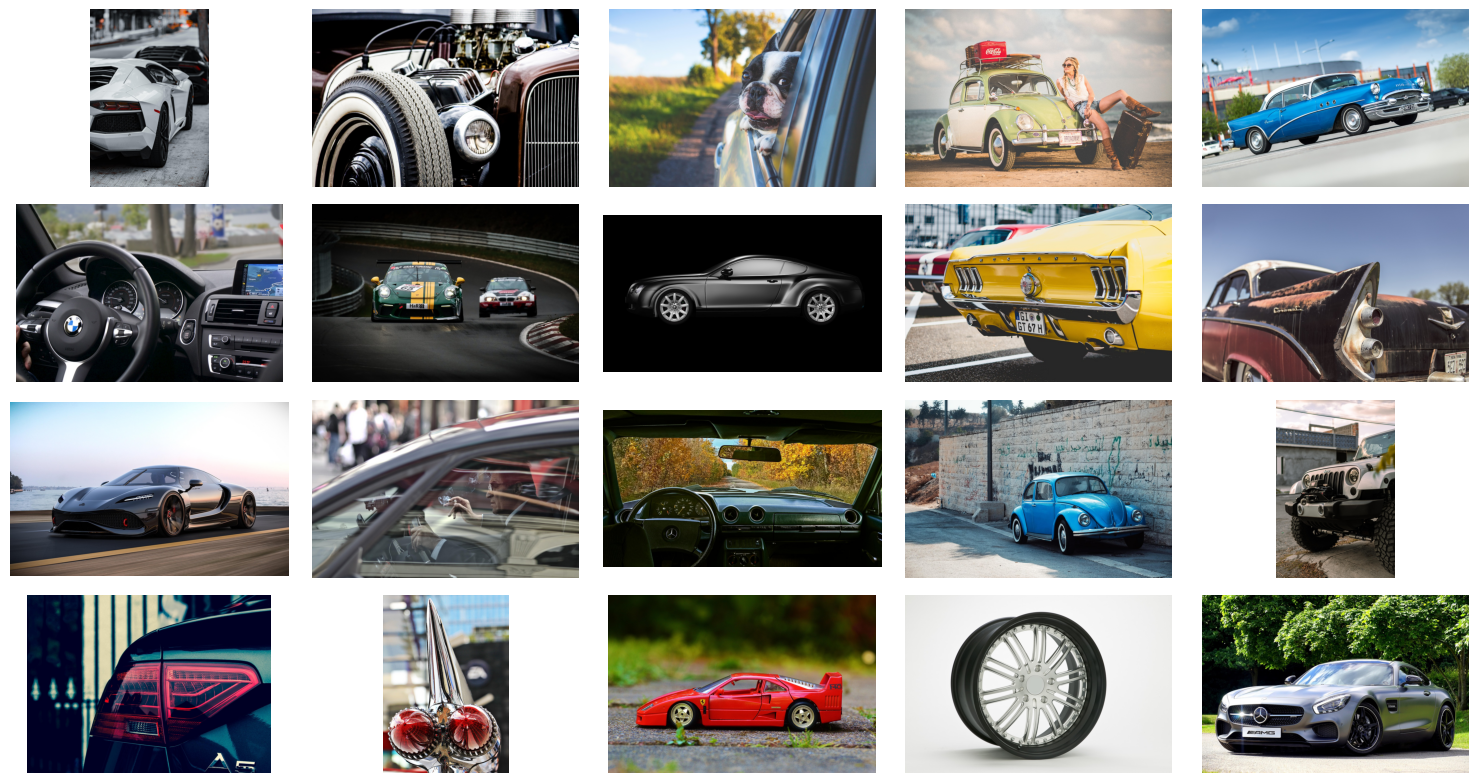
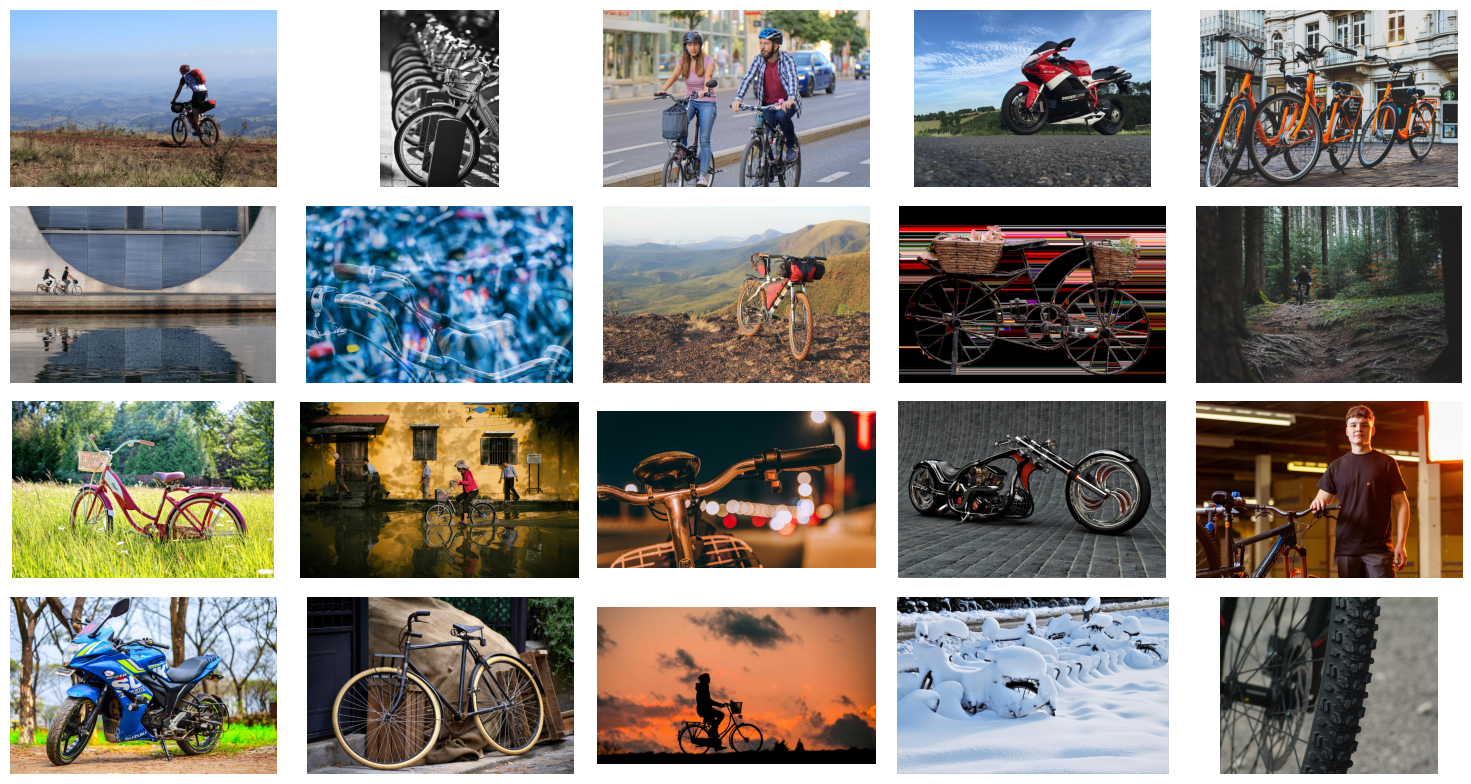
Preview downloaded images to make sure they are at least somewhat sensible
# create preview images function
import matplotlib.pyplot as plt

def preview_images(object_type):

    # Define the folder containing your images (change 'car' to your target folder if needed)
    img_folder = Path('objects/' + object_type)  # or 'objects/bicycle', 'objects/pedestrian'

    # Get all image files in the folder
    images = get_image_files(img_folder)[:20]  # First 20 images

    # Load the images
    loaded_imgs = [PILImage.create(img_path) for img_path in images]

    # Plot the images in a grid
    ncols = 5
    nrows = len(loaded_imgs) // ncols + int(len(loaded_imgs) % ncols != 0)
    fig, axs = plt.subplots(nrows, ncols, figsize=(15, 8))

    for i, ax in enumerate(axs.flatten()):
        if i < len(loaded_imgs):
            ax.imshow(loaded_imgs[i])
            ax.axis('off')
        else:
            ax.remove()  # Clean up extra axes

    plt.tight_layout()
    plt.show()
# preview car images
preview_images('car')
# preview bike images
preview_images('bike')
# preview runner images
preview_images('tree')
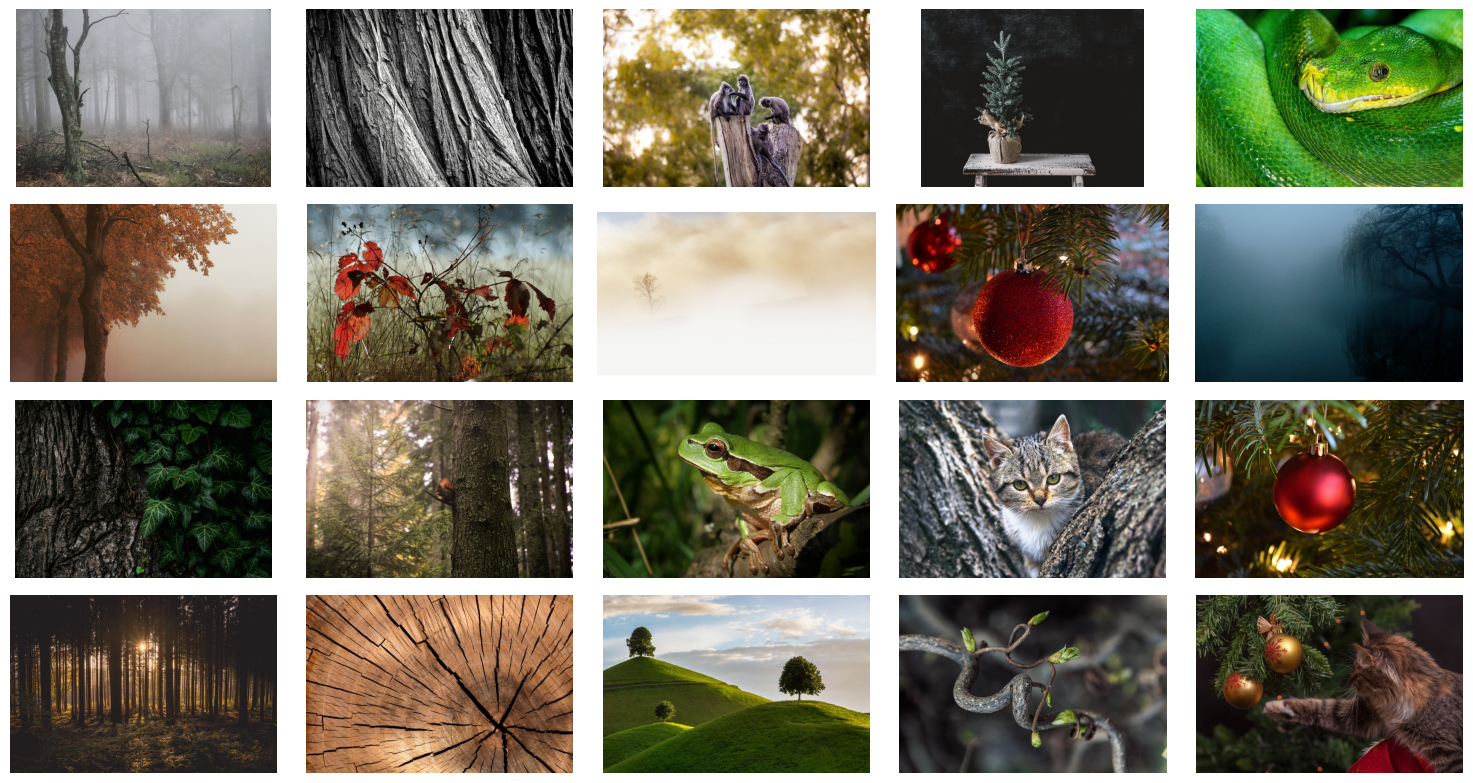
Notice that most of the images are sensible. However, there are some images that are completely out of place. We will handle those later.
Create fast.ai DataBlock object
road_objects = DataBlock(
    blocks=(ImageBlock, CategoryBlock),
    get_items=get_image_files,
    splitter=RandomSplitter(valid_pct=0.2, seed=42),
    get_y=parent_label,
    item_tfms=Resize(128))
blocks=(ImageBlock, CategoryBlock):
get_items=get_image_files
splitter=RandomSplitter(valid_pct=0.2, seed=42)
get_y=parent_label
item_tfms=Resize(128))
Feed 'DataBlock' object into 'DataLoaders' class. We must tell the computer where to get the data.
DataLoader is a class that provides batches of a few items at a time to the GPU. When you loop through a DataLoader fastai will give you 64 (by default) items at a time, all stacked up into a single tensor.
# create dataloaders class from road_objects data block
dls = road_objects.dataloaders(path)
# sample of items in dls
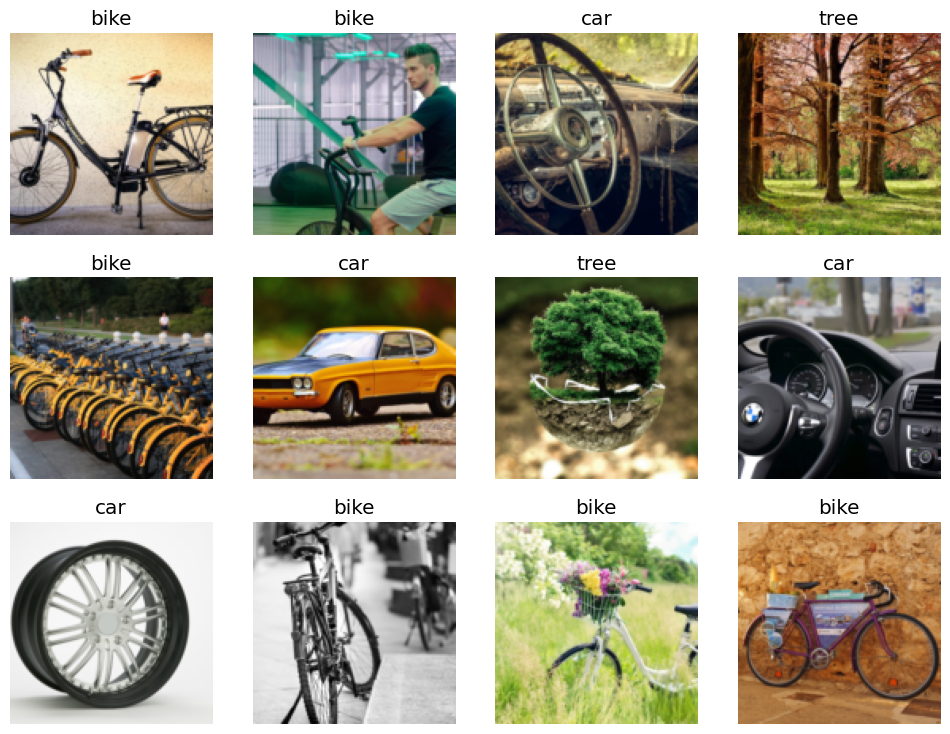
dls.valid.show_batch(max_n=12, nrows=3)
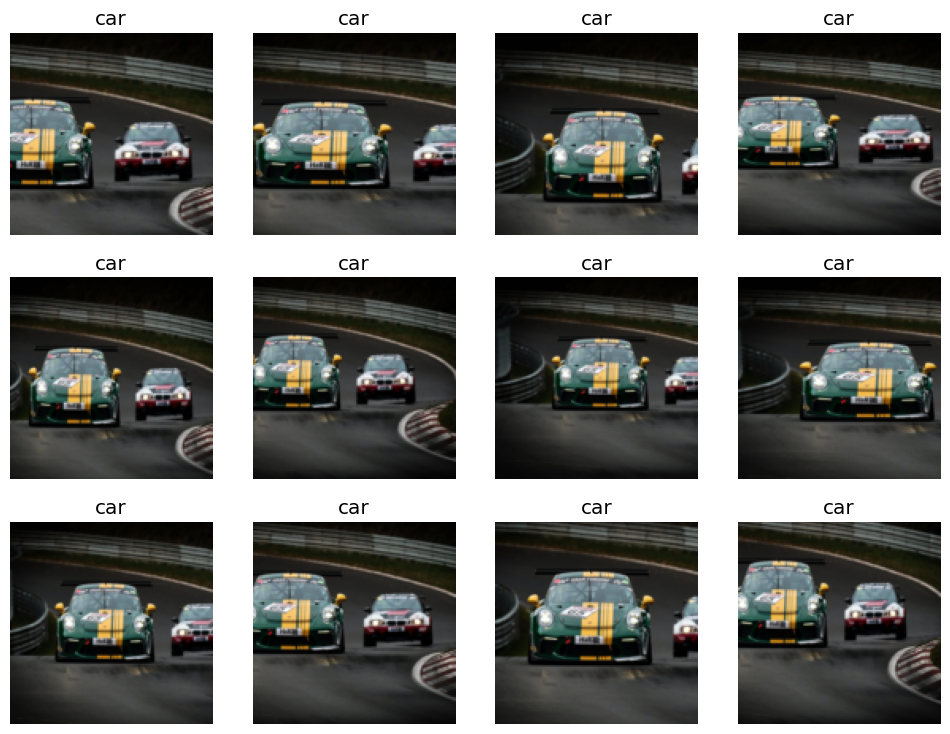
Resize the images using "RandomResizedCrop" method. I.e., Take random snap shots of the images at 128px, and recycle them. This will help train model by looking at images from different vantage points.
Other resize methods include squishing and padding. However, padding will distort images to potentially unrealistic shapes, and padding is not computationally efficient.
# take random crops of the images without squishing them.
# min_scale determines what minimum % of image to select
road_objects = road_objects.new(item_tfms=RandomResizedCrop(128, min_scale=0.3))
dls = road_objects.dataloaders(path)

# show images
# unique = True means to recycle the image after it's cropped (i.e., data augmentation)
dls.train.show_batch(max_n=12, nrows=3, unique=True)
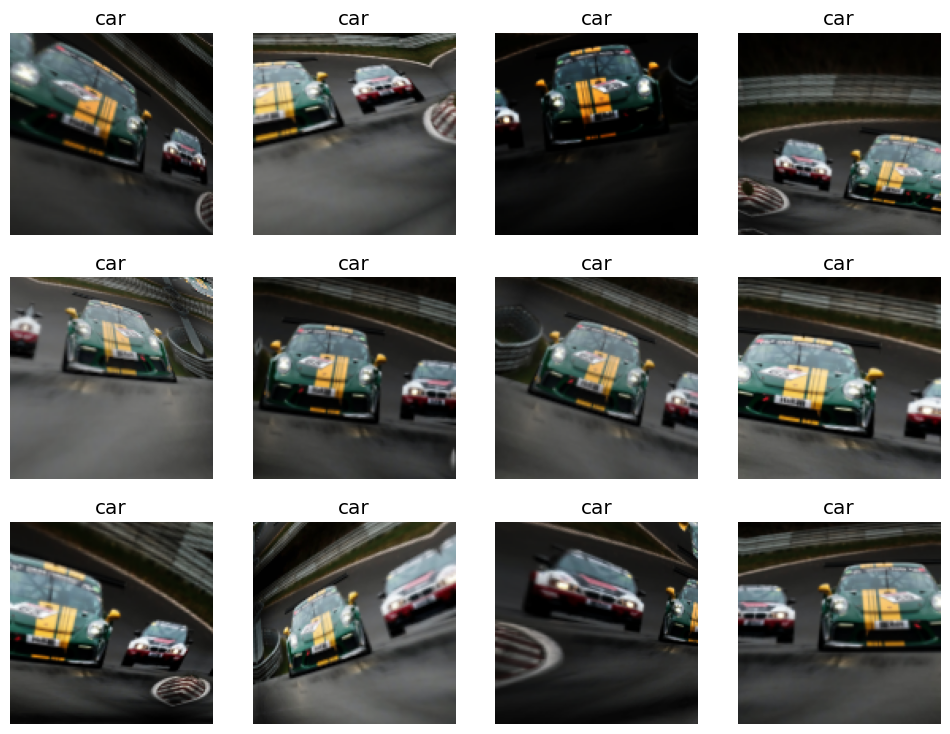
More data augmentation: flipping, rotating, perspective warping, changing brightness/contrast, etc. This is useful for computer vision in self-driving cars, for example, because an object may look different under different conditions (e.g., rain, snow, shade, angles, night, etc.)
# take random crops of the images without squishing them.
# batch_tfms=aug_transforms(mult=2) augments the images
# mult=2 means to double the number of augmentations
road_objects = road_objects.new(item_tfms=RandomResizedCrop(128, min_scale=0.3), batch_tfms=aug_transforms(mult=2))
dls = road_objects.dataloaders(path)

# show images
# unique = True means to recycle the image after it's cropped (i.e., data augmentation)
dls.train.show_batch(max_n=12, nrows=3, unique=True)
# create dataloaders class
# 224px, 50% min resized crop, data augmented
road_objects = road_objects.new(
    item_tfms=RandomResizedCrop(224, min_scale=0.5),
    batch_tfms=aug_transforms())
dls = road_objects.dataloaders(path)
Create image classifier using pre-trained resnet18 model:
# train model
# run time = ~1min 30s w/ GPU T4 x2

# vision_learner: A fastai function that creates a convolutional neural network (CNN) model for image classification.
# resnet18: The architecture used — in this case, ResNet-18, a lightweight CNN model pretrained on ImageNet.
# metrics=error_rate: This tells fastai to track the error rate during training (i.e. 1 - accuracy).
learn = vision_learner(dls, resnet18, metrics=error_rate)

# fine_tune(4): Trains the model for 4 epochs:
# First, it freezes the pretrained layers and trains only the new classification head.
# Then, it unfreezes all layers and fine-tunes the whole model.
learn.fine_tune(4)
Downloading: "https://download.pytorch.org/models/resnet18-f37072fd.pth" to /root/.cache/torch/hub/checkpoints/resnet18-f37072fd.pth
100%|██████████| 44.7M/44.7M [00:00<00:00, 216MB/s]
| epoch | train_loss | valid_loss | error_rate | time |
|---|---|---|---|---|
| 0 | 1.782827 | 0.832080 | 0.266667 | 00:06 |
| epoch | train_loss | valid_loss | error_rate | time |
|---|---|---|---|---|
| 0 | 0.613524 | 0.343939 | 0.166667 | 00:05 |
| 1 | 0.522705 | 0.213472 | 0.083333 | 00:04 |
| 2 | 0.425803 | 0.092586 | 0.033333 | 00:05 |
| 3 | 0.350033 | 0.046874 | 0.016667 | 00:04 |
How to interpret output (note: specific results may vary depending on run -- the below is just a sample interpretation from one run I conducted):
| Column | Meaning |
|---|---|
epoch |
Training iteration number (0–3 here, for 4 total epochs). |
train_loss |
How well the model fits the training data (lower is better). |
valid_loss |
How well the model performs on the validation set (lower is better). |
error_rate |
Fraction of validation predictions that were wrong (1 - accuracy). |
time |
Time taken for that epoch (usually in minutes\:seconds). |
Phase 1: Frozen Training (1 epoch)
In this first epoch, all the pretrained layers (ResNet-18 backbone) are frozen.
Only the newly added head (classification layers) is trained.
This helps the model adapt to the dataset without disrupting the useful pretrained features.
| Epoch | Train Loss | Valid Loss | Error Rate |
|---|---|---|---|
| 0 | 1.238853 | 0.170202 | 7.77% |
Phase 2: Unfrozen Fine-Tuning (4 epochs)
Now, all layers are unfrozen, and the whole model is fine-tuned end-to-end.
The model continues improving based on the foundation laid during the frozen phase.
Specifically for our model, here is how to interpret the results:
| Epoch | Train Loss | Valid Loss | Error Rate | Interpretation |
|---|---|---|---|---|
| 0 | 0.2981 | 0.1099 | 4.85% | First epoch, already decent performance. |
| 1 | 0.2452 | 0.0663 | 1.94% | Dramatic improvement — model adapting quickly. |
| 2 | 0.1917 | 0.0523 | 0.97% | Still improving — both loss and error rate down. |
| 3 | 0.1600 | 0.0466 | 0.97% | Validation error plateaus — nearing optimal performance. |
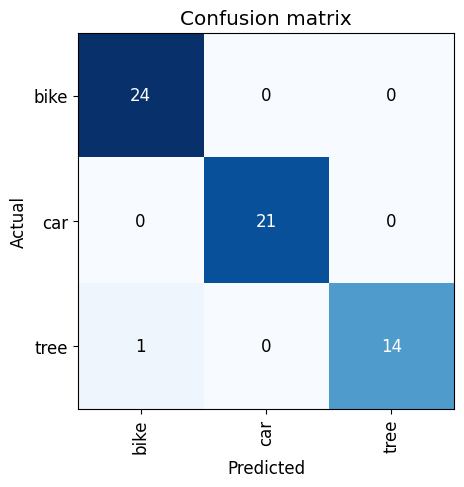
# create confusion matrix
interp = ClassificationInterpretation.from_learner(learn)
interp.plot_confusion_matrix()
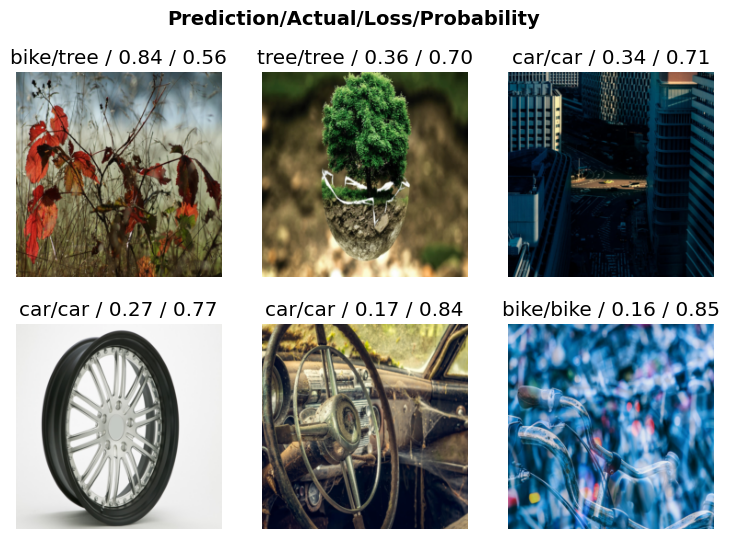
Assess where model is inaccurate by looking at images sort ordered by top loss
# plot top losses
# prediction / actual (target label) / loss / probability (i.e., model's confidence in prediction)
# model can confidently wrong, or confidently correct
interp.plot_top_losses(6, nrows=2)
Export model to create web app:
# export model
learn.export()
# check if file exists
path = Path()
path.ls(file_exts='.pkl')
(#1) [Path('export.pkl')]
We can see that some of these images are junk (not a bike, car, or tree) and we should discard them.
Thankfully, fast.ai has a graphical user interface (GUI) that lets us view the top-loss images and visually clean (delete/reclassify) the images appropriately.
# run fast.ai's image classifier cleaner
cleaner = ImageClassifierCleaner(learn)
cleaner
VBox(children=(Dropdown(options=('bike', 'car', 'tree'), value='bike'), Dropdown(options=('Train', 'Valid'), v…
Fast.ai's GUI does not delete/reclassify the images. It only returns indices of the images. We must manually delete/move them:
# delete selected images
for idx in cleaner.delete(): cleaner.fns[idx].unlink()
# re-classify / move selected images
for idx,cat in cleaner.change(): shutil.move(str(cleaner.fns[idx]), path/cat)
Note: I omitted re-training the model after cleaning the data, since the model already had nearly 100% accuracy on its first run.
But I left in this data cleaning process for future reference.
This project was just a starting point—but an important one. I learned how data augmentation (like flipping, rotating, and cropping images) can help a model handle real-world variability, much like a human driver adjusting to different lighting and weather conditions. More than anything, I proved to myself that I can build something functional and foundational.
There’s still a long road ahead, but this experiment gave me confidence—and a concrete starting block—for eventually working on more complex AI systems like self-driving vehicles and autonomous drones.