Author: Daniel Jordan Viray
January 4, 2026 · Deep Learning · by Daniel Jordan Viray
! pip install -Uqq fastbook
import fastbook
fastbook.setup_book()
from fastbook import *
from IPython.display import display,HTML
from fastai.text.all import *
# dls = TextDataLoaders.from_folder(untar_data(URLs.IMDB), valid='test')
path = untar_data(URLs.IMDB)
dls = DataBlock(
    blocks=(TextBlock.from_folder(path),CategoryBlock),
    get_y = parent_label,
    get_items=partial(get_text_files, folders=['train', 'test']),
    splitter=GrandparentSplitter(valid_name='test')
).dataloaders(path)
# read in text data
files = get_text_files(path, folders = ['train', 'test'])
txts = L(o.open().read() for o in files[:2000])
txts[0]
'I must admit that I was very sceptical about this documentary. I was expecting it to be the kind of All American Propaganda that we here in Europe dislike so much. I was wrong. This is NOT propaganda, in fact it is hardly political at all.<br /><br />It depicts the events of 9/11 through the eyes of the firefighters called to the scene just after the planes crashed. It is an amazing coinsidence that this documentary was filmed at all! This film was initially shot as a documnetary about a rookie NY firefighter becoming "a man". We can only thank the film makers that they continued their work during the terrible ordeal that faced them.<br /><br />A great piece of work. Absolutely stunning material. Highly recommended.<br /><br />Regards,'
Transforms = functions with optional setup and optional undo.
setup = gather stats, vocab, label maps, frozen pairs
decode = undo the transform so humans can visualize the original data (e.g., normalizing images for training, but the denormalizing images for plotting purposes)
augmentation transforms don’t decode because you want to see the augmentation (e.g., data augmentation (warping/flipping/rotating/etc.) because it's meant to change the data permanently)
Tokenize and Numericalize are both examples of transforms.
Tokenzing text:
tok = Tokenizer.from_folder(path)
tok.setup(txts)
toks = txts.map(tok)
toks[0]
(#160) ['xxbos','i','must','admit','that','i','was','very','sceptical','about'...]
Numericalizing text:
num = Numericalize()
num.setup(toks)
nums = toks.map(num)
nums[0][:10]
TensorText([ 2, 19, 226, 1033, 21, 19, 28, 58, 8678, 61])
Decoding the numericalized text:
nums_dec = num.decode(nums[0][:10]); nums_dec
(#10) ['xxbos','i','must','admit','that','i','was','very','sceptical','about']
Decoding the tokenized text:
tok.decode(nums_dec)
'xxbos i must admit that i was very sceptical about'
Some FastAI functions such as show_batch and show_results rely on decoded data that is human-understandable.
Transforms always get applied over all elements of tuples, if the data type is applicable becaues most data needed for AI comes in tuples (i.e., (input, target)).
# for example:
tok((txts[0], txts[1]))
((#160) ['xxbos','i','must','admit','that','i','was','very','sceptical','about'...],
 (#282) ['xxbos','xxmaj','as','the','xxmaj','godfather','saga','was','the','view'...])
# is the same thing as
(tok(txts[0]), tok(txts[1]))
((#160) ['xxbos','i','must','admit','that','i','was','very','sceptical','about'...],
 (#282) ['xxbos','xxmaj','as','the','xxmaj','godfather','saga','was','the','view'...])
A Transform in fastai is a class/object that wraps a normal function but gives it extra functionality (i.e., setup(), decode() and interacts with DataBlocks)
# define a toy function
def f(x:int): return x+1 # :int means the function only applies to integers
# wrap the function f in a fastAI Transform object
tfm = Transform(f)
# test tfm object
tfm(2)
3
# check that the tfm object doesn't apply to floats
tfm(2.0)
2.0
Here, f is converted to a Transform with no setup and no decode method.
# identical code to above using a decorator
# this is syntax for passing a function into another function (or something that behaves like a function, called a callable in Python)
@Transform
def f(x:int): return x+1
f(2),f(2.0)
(3, 2.0)
class NormalizeMean(Transform): # create subclass of Transform class
    def setups(self, items): self.mean = sum(items)/len(items) # pass in items (data) # stores mean in self.mean
    def encodes(self, x): return x-self.mean
    def decodes(self, x): return x+self.mean
# instatiate object of class NormalizeMean
tfm = NormalizeMean()
tfm.setup([1,2,3,4,5]) # tfm.setup calls tfm.setups
tfm.mean
# running self.mean creates an error
3.0
start = 2
y = tfm(start) # tfm(x) calls encodes()
y
# 2 - 3 = -1
-1.0
z = tfm.decode(y) # .decode calls tfm.decodes()
z
# -1 + 3 = 2
2.0
Not the above methods are calls to the fastAI transform class, not the NormalizeMean class. Preferred way to call the methods for better pipeline integration.
But calling the subclass methods work too:
tfm.setups([1,2,3,4,5]) # tfm.setup calls tfm.setups
tfm.mean
3.0
tfm.encodes(start)
-1.0
tfm.decodes(tfm.encodes(start))
2.0
Create a pipeline of transformations:
tfms = Pipeline([tok, num])
txts[0][:100]
'I must admit that I was very sceptical about this documentary. I was expecting it to be the kind of '
tfms(txts[0])[:20]
TensorText([ 2, 19, 226, 1033, 21, 19, 28, 58, 8678, 61, 20, 563, 11, 19, 28, 1343, 18, 15, 44, 9])
t = tfms(txts[0])
t[:20]
TensorText([ 2, 19, 226, 1033, 21, 19, 28, 58, 8678, 61, 20, 563, 11, 19, 28, 1343, 18, 15, 44, 9])
# calling decode on the result of the encode
tfms.decode(t)[:100]
'xxbos i must admit that i was very sceptical about this documentary . i was expecting it to be the k'
However, Pipeline does not include the setup. Therefore, we need TfmdLists.
files
(#50000) [Path('/root/.fastai/data/imdb/train/pos/10763_8.txt'),Path('/root/.fastai/data/imdb/train/pos/11104_10.txt'),Path('/root/.fastai/data/imdb/train/pos/151_10.txt'),Path('/root/.fastai/data/imdb/train/pos/2587_9.txt'),Path('/root/.fastai/data/imdb/train/pos/6626_7.txt'),Path('/root/.fastai/data/imdb/train/pos/5679_10.txt'),Path('/root/.fastai/data/imdb/train/pos/11501_8.txt'),Path('/root/.fastai/data/imdb/train/pos/8232_10.txt'),Path('/root/.fastai/data/imdb/train/pos/2411_9.txt'),Path('/root/.fastai/data/imdb/train/pos/8705_8.txt')...]
files[0]
Path('/root/.fastai/data/imdb/train/pos/10763_8.txt')
path
Path('/root/.fastai/data/imdb')
Tokenizer.from_folder(path)
Tokenizer:
encodes: (Path,object) -> encodes
(str,object) -> encodes
decodes: (object,object) -> decodes
Numericalize
fastai.text.data.Numericalize
TfmdLists calls the setup method. Think of it as a wrapper for Pipeline:
tls = TfmdLists(files, [Tokenizer.from_folder(path), Numericalize])
# each file is transformed
len(tls)
50000
Can index into TfmdLists to get the results of any raw element passed through the pipeline:
tls[0]
TensorText([    2,    19,   225,  1009,    21,    19,    25,    71, 17897,    60,    20,   632,    10,    19,    25,  1043,    17,    15,    43,     9,   266,    14,     8,    45,     8,   300,     8,
             2329,    21,    92,   150,    18,     8,  2256,  3156,    52,    95,    10,    19,    25,   383,    10,     8,    20,    16,     7,    38,  2329,    11,    18,   213,    17,    16,  1052,
             1005,    46,    45,    10,    26,     8,    17,  4402,     9,   715,    14,   728,   125,  1743,   165,     9,   548,    14,     9, 18113,   459,    15,     9,   151,    57,   120,     9,
             5006,  8103,    10,     8,    17,    16,    49,   526,     0,    21,    20,   632,    25,   755,    46,    45,    54,     8,    20,    32,    25,  2614,   347,    27,    13,     0,    60,
               13,  9357,     7,  6080, 18204,  1538,    22,    13,   146,    22,    10,     8,    92,    80,    83,  1433,     9,    32,  1204,    21,    47,  3823,    81,   180,   318,     9,   408,
             7073,    21,  2481,   112,    10,    26,    13,   103,   448,    14,   180,    10,     8,   450,  1496,   845,    10,     8,   571,  1172,    10,    26,     8,  5258,    11])
tls[0][:20]
TensorText([ 2, 19, 225, 1009, 21, 19, 25, 71, 17897, 60, 20, 632, 10, 19, 25, 1043, 17, 15, 43, 9])
# decoding the transformed list
t = tls[0]
tls.decode(t)[:100]
'xxbos i must admit that i was very sceptical about this documentary . i was expecting it to be the k'
tls.decode(t)[:20]
'xxbos i must admit t'
# using the TfmdLists show method
tls.show(t[:20])
xxbos i must admit that i was very sceptical about this documentary . i was expecting it to be the
tls.show(t)
xxbos i must admit that i was very sceptical about this documentary . i was expecting it to be the kind of xxmaj all xxmaj american xxmaj propaganda that we here in xxmaj europe dislike so much . i was wrong . xxmaj this is xxup not propaganda , in fact it is hardly political at all .

 xxmaj it depicts the events of 9 / 11 through the eyes of the firefighters called to the scene just after the planes crashed . xxmaj it is an amazing xxunk that this documentary was filmed at all ! xxmaj this film was initially shot as a xxunk about a rookie xxup ny firefighter becoming " a man " . xxmaj we can only thank the film makers that they continued their work during the terrible ordeal that faced them .

 a great piece of work . xxmaj absolutely stunning material . xxmaj highly recommended .

 xxmaj regards ,
TfmdLists can handle both training and validation data sets using the splits argument
cut = int(len(files)*0.8)
cut
40000
splits = [list(range(cut)), list(range(cut,len(files)))]
# training indicies [0 - 40,000) # validation indicies [40,000 - 50,000]
Training indicies
range(cut)
range(0, 40000)
list(range(cut))[:10]
[0, 1, 2, 3, 4, 5, 6, 7, 8, 9]
Validation indicies
range(cut,len(files))
range(40000, 50000)
list(range(cut,len(files)))[:10]
[40000, 40001, 40002, 40003, 40004, 40005, 40006, 40007, 40008, 40009]
tls = TfmdLists(files, [Tokenizer.from_folder(path), Numericalize],
                splits=splits)
Can now access transformed data through train and valid attributes:
tls.train[0][:20]
TensorText([ 2, 19, 225, 1009, 21, 19, 25, 71, 17897, 60, 20, 632, 10, 19, 25, 1043, 17, 15, 43, 9])
tls.valid[0][:20]
TensorText([ 2, 19, 205, 15, 159, 21, 19, 434, 15, 20, 30, 28, 79, 1435, 117, 118, 325, 10, 19, 217])
In general, we may need separate Pipelines. 1) Transformations for input data, and 2) Transformations for labels.
# text label data
# parent_label is a helper function that takes label name from the parent folder
lbls = files.map(parent_label)
lbls
(#50000) ['pos','pos','pos','pos','pos','pos','pos','pos','pos','pos'...]
In this case, the labels are strings. But for the model, we need integers (0 and 1). So the transformations is from String to Int.
# use a Transform called Categorize
cat = Categorize()
cat.setup(lbls)
cat.vocab
['neg', 'pos']
cat(lbls[0])
TensorCategory(1)
# create a TfmdLists
tls_y = TfmdLists(files, [parent_label, Categorize()])
tls_y[0]
TensorCategory(1)
The problem is now that there are two separate objects for inputs and targets. That is why we use Datasets.
x_tfms = [Tokenizer.from_folder(path), Numericalize]
x_tfms
[Tokenizer:
 encodes: (Path,object) -> encodes
 (str,object) -> encodes
 decodes: (object,object) -> decodes,
 fastai.text.data.Numericalize]
y_tfms = [parent_label, Categorize()]
y_tfms
[<function fastai.data.transforms.parent_label(o)>,
 Categorize -- {'vocab': None, 'sort': True, 'add_na': False}:
 encodes: (Tabular,object) -> encodes
 (object,object) -> encodes
 decodes: (Tabular,object) -> decodes
 (object,object) -> decodes]
Datasets returns a tuple with results for each pipeline:
dsets = Datasets(files, [x_tfms, y_tfms])
len(dsets)
50000
# 50k tuples, one for each text file
# tuple: (numericalized tokens, numeric category)
dsets[0]
(TensorText([    2,    19,   225,  1009,    21,    19,    25,    71, 17901,    60,    20,   632,    10,    19,    25,  1043,    17,    15,    43,     9,   266,    14,     8,    45,     8,   300,     8,
              2329,    21,    92,   150,    18,     8,  2256,  3156,    52,    95,    10,    19,    25,   383,    10,     8,    20,    16,     7,    38,  2329,    11,    18,   213,    17,    16,  1052,
              1005,    46,    45,    10,    26,     8,    17,  4402,     9,   715,    14,   728,   125,  1743,   165,     9,   548,    14,     9, 18113,   459,    15,     9,   151,    57,   120,     9,
              5006,  8103,    10,     8,    17,    16,    49,   526,     0,    21,    20,   632,    25,   755,    46,    45,    54,     8,    20,    32,    25,  2614,   347,    27,    13,     0,    60,
                13,  9356,     7,  6079, 18185,  1538,    22,    13,   146,    22,    10,     8,    92,    80,    83,  1433,     9,    32,  1204,    21,    47,  3823,    81,   180,   318,     9,   408,
              7075,    21,  2481,   112,    10,    26,    13,   103,   448,    14,   180,    10,     8,   450,  1496,   845,    10,     8,   571,  1172,    10,    26,     8,  5256,    11]),
 TensorCategory(1))
x,y = dsets[0]
x[:20], y
(TensorText([    2,    19,   225,  1009,    21,    19,    25,    71, 17901,    60,    20,   632,    10,    19,    25,  1043,    17,    15,    43,     9]),
 TensorCategory(1))
x[:20]
TensorText([ 2, 19, 225, 1009, 21, 19, 25, 71, 17901, 60, 20, 632, 10, 19, 25, 1043, 17, 15, 43, 9])
y
TensorCategory(1)
# can pass in train/test splits to dsets
x_tfms = [Tokenizer.from_folder(path), Numericalize]
y_tfms = [parent_label, Categorize()]
dsets = Datasets(files, [x_tfms, y_tfms], splits=splits)
x,y = dsets.valid[0]
x[:20],y
(TensorText([   2,   19,  205,   15,  159,   21,   19,  434,   15,   20,   30,   28,   79, 1435,  117,  118,  325,   10,   19,  217]),
 TensorCategory(0))
# can also decode any processed tuple
t = dsets.valid[0]
dsets.decode(t)
("xxbos i want to say that i went to this movie with my expectations way too high . i thought it was going to be funny because it 's the sequel to xxmaj bruce xxmaj almighty which was really funny and it stars xxmaj steve xxmaj carell who is an excellent comedic actor but boy , did it sucked . \n\n xxmaj the movie is advertised as a sequel but it really has nothing to do with the original since the only people reprising their roles are xxmaj morgan xxmaj freeman and xxmaj steve xxmaj carell but xxmaj steve 's character is completely different , he is no longer the jerk he was in the first one here he is a nice guy . xxmaj the story is different and the actors are different and it 's not funny . \n\n xxmaj all the actors xxunk xxmaj carell , xxmaj morgan xxmaj freeman , xxmaj wanda xxmaj sykes , xxmaj john xxmaj goodman , xxmaj ed xxmaj helms and even xxmaj jon xxmaj stewart in a very crappy cameo ) have talent but none of them seems to use it and it looks that there in the movie just for the money . \n\n xxmaj now the plot is obviously shaped after xxmaj noah 's story but there are so many wrong things with it , i do n't know where to start . i guess the big problem is that in the everyone around xxmaj evan thinks that he is crazy despite all the things that are happening to him , he grows a huge white beard in two days , he gets help from animals from all around the world , he builds a giant arc in a few weeks , in real life people would n't be mocking these guy after that , they would be saying he is the new xxmaj noah . \n\n xxmaj also the special effects are good but what the hell is the greatest movie flood ever filmed doing in xxmaj evan xxmaj almighty ? xxmaj did they really had to waste such good special effects as filler for this crappy movie . \n\n xxmaj jim xxmaj carrey seems to be a smart guy since he has stayed away of three of the worst sequels ever made , xxmaj son of the xxmaj mask , xxmaj dumb and xxmaj xxunk and now xxmaj evan xxmaj almighty . \n\n xxmaj this was a giant disappointment and xxmaj tom xxmaj xxunk should be ashamed of himself .",
 'neg')
Convert Datasets object to a DataLoaders which can be done with the dataloaders method:
dls = dsets.dataloaders(bs=64, before_batch=pad_input)
Transformations:
after_item: Applied on each item after grabbing it inside the dataset. This is the equivalent of item_tfms in DataBlock.
before_batch: Applied on the list of items before they are collated. This is the ideal place to pad items to the same size.
after_batch: Applied on the batch as a whole after its construction. This is the equivalent of batch_tfms in DataBlock.
For NLP, you want to pad text before_batch. This is so that padding occurs in relation to the longest text in the batch. If you pad to the longest text in the entire dataset, this will lead to inefficient padding.
# full code to prepare data for text classification:
tfms = [[Tokenizer.from_folder(path), Numericalize], [parent_label, Categorize]]
files = get_text_files(path, folders = ['train', 'test'])
splits = GrandparentSplitter(valid_name='test')(files) # grandparent means to split data based on folder structure two directories up (i.e., train vs. valid folders)
dsets = Datasets(files, tfms, splits=splits)
dls = dsets.dataloaders(dl_type=SortedDL, before_batch=pad_input) # SortedDL sorts texts by length so that similar length texts are batched together (for more efficient padding)
# this code is the higher-level data block which does the same thing as the code above (mid-level data block)
path = untar_data(URLs.IMDB)
dls = DataBlock(
    blocks=(TextBlock.from_folder(path),CategoryBlock),
    get_y = parent_label,
    get_items=partial(get_text_files, folders=['train', 'test']),
    splitter=GrandparentSplitter(valid_name='test')
).dataloaders(path)
Objective: Predict whether two images are of the same class (similarity learning)
# download pets data set used in previous project
from fastai.vision.all import *

# Downloads and unzips the Oxford-IIIT Pet Dataset and stores the path to its files.
path = untar_data(URLs.PETS)

# Gets a list of all the image file paths from the dataset.
files = get_image_files(path/"images")
path
Path('/root/.fastai/data/oxford-iiit-pet')
files
(#7390) [Path('/root/.fastai/data/oxford-iiit-pet/images/wheaten_terrier_3.jpg'),Path('/root/.fastai/data/oxford-iiit-pet/images/basset_hound_176.jpg'),Path('/root/.fastai/data/oxford-iiit-pet/images/scottish_terrier_30.jpg'),Path('/root/.fastai/data/oxford-iiit-pet/images/chihuahua_90.jpg'),Path('/root/.fastai/data/oxford-iiit-pet/images/great_pyrenees_106.jpg'),Path('/root/.fastai/data/oxford-iiit-pet/images/keeshond_35.jpg'),Path('/root/.fastai/data/oxford-iiit-pet/images/Bombay_64.jpg'),Path('/root/.fastai/data/oxford-iiit-pet/images/basset_hound_93.jpg'),Path('/root/.fastai/data/oxford-iiit-pet/images/Abyssinian_215.jpg'),Path('/root/.fastai/data/oxford-iiit-pet/images/keeshond_79.jpg')...]
# objective of class: create a single object that holds (img1, img2, T/F same class label) and can visually display itself for inspection

class SiameseImage(fastuple): # create a new class, inheriting from fastuple (fastAI tuple (item1, item2, item 3, ...) but with add'l functionality), including the "show" method
    def show(self, ctx=None, **kwargs): # create method to display image; # self = first param of any method must be self # ctx = context (canvas for matplotlib) # ** kwargs is a catch-all for anything other aguments used for matplotlib plotting
        img1,img2,same_breed = self # self is a fastai tuple with three items, so this unpacks the tuple

        # don't worry too much about this test -- just to show the SiameseImage when images are Python images, not tensors
        if not isinstance(img1, Tensor):
            if img2.size != img1.size: img2 = img2.resize(img1.size)
            t1,t2 = tensor(img1),tensor(img2)
            t1,t2 = t1.permute(2,0,1),t2.permute(2,0,1)
        else: t1,t2 = img1,img2

        # plot images
        line = t1.new_zeros(t1.shape[0], t1.shape[1], 10) # creates black line between images
        return show_image(torch.cat([t1,line,t2], dim=2), # dim=2 means stack along width
                          title=same_breed, ctx=ctx)

# This happens BEFORE the .show() method is ever called

# image_a = load_image(file_path_a)
# image_b = load_image(file_path_b)
# is_same = (breed_of_A == breed_of_B)

# **This line explicitly defines the structure of the object:**

# siamese_object = SiameseImage(image_a, image_b, is_same)
Check if show method works:
files[0]
Path('/root/.fastai/data/oxford-iiit-pet/images/wheaten_terrier_3.jpg')
PILImage.create(files[0])
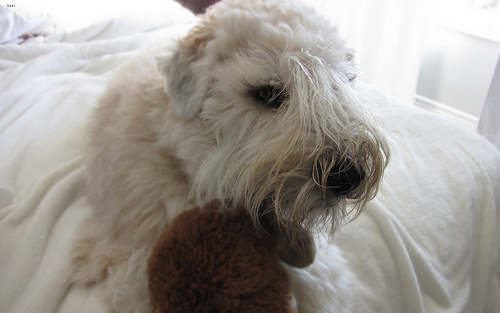
img = PILImage.create(files[0])
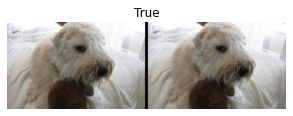
s = SiameseImage(img, img, True)
s.show();
PILImage.create(files[1])
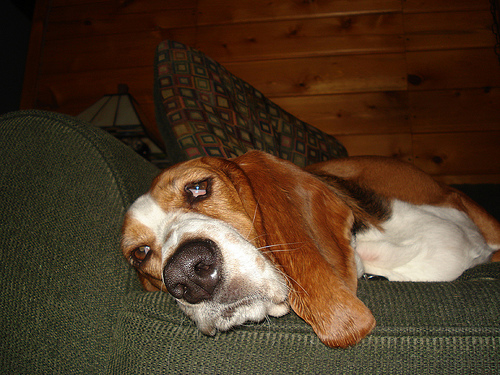
img1 = PILImage.create(files[1])
s1 = SiameseImage(img, img1, False)
s1.show();
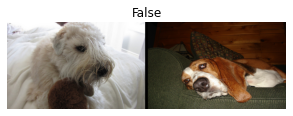
By using the fasttuple class/data structure, we can apply transformations (e.g., resize) on each element of the tuple.
FastAI is smart enough to know that it doesn't apply to Boolean values.
s2 = Resize(224)(s1)
s2.show();
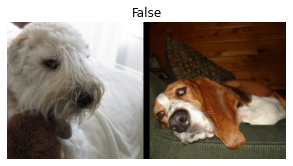
s2 = Resize(50)(s1)
s2.show();

Ok, now what we're going to do is we're going to feed PAIRS of images + label (img1, img2, label) into the model for learning. Note that we're learning similarity, not classification. Therefore, we are not feeding individual images into the model. This is what we're TRANSFORMING. From individual images to pairs of images + labels.
For the training images, we are going to randomly draw the second image with a 50/50 probability that it's in the same class. For the validiation image pairs, we are also going to use a 50/50 probability whether the image pair is in the same class, but we're going to fix these pairs for stability.
For example, assume I have 100 images. 80 for training, 20 for validation.
For a single training image, I'm going to draw another training image with 50/50 probability that it's going to be in the same class. For example, if I have dog_001.jpg and want to draw an image from a different class, it might be cat_002.jpg, horse_005.jpg, etc. This happens randomly when we train the model.
However, for the validation set, if I have dog_001.jpg and it pairs with cat_002.jpg, I'm going to store that information in a dictionary so that this pair stays fixed/stable.
Good refresher on object oriented programming in Python: https://www.youtube.com/watch?v=JeznW_7DlB0
# funtion to return image class/label
def label_func(fname):
    return re.match(r'^(.*)_\d+.jpg$', fname.name).groups()[0]
files[0]
Path('/root/.fastai/data/oxford-iiit-pet/images/wheaten_terrier_3.jpg')
label_func(files[0])
'wheaten_terrier'
# purpose of the class: Take single images and transform them into pairs
class SiameseTransform(Transform):
    def __init__(self, files, label_func, splits): # splits = training vs. valid
        self.labels = files.map(label_func).unique() # apply label_func to every file # get unique labels
        self.lbl2files = {l: L(f for f in files if label_func(f) == l)
                          for l in self.labels} # gets all files for each label (e.g., Dog: [dog_001.jpg, dog_002.jgp]; Cat: [cat_001.jpg, ...])
        self.label_func = label_func
        self.valid = {f: self._draw(f) for f in files[splits[1]]} # for each validation image, draw a pair/label and store that info in self.valid

    def encodes(self, f): # convert single file into SiameseImage (img1, img2, label)
        f2,t = self.valid.get(f, self._draw(f)) # if f in self.valid, use self.valid[f] (dictionary created above); otherwise draw random pair now
        img1, img2 = PILImage.create(f), PILImage.create(f2) # turn the file paths into actual image objects (tensors)
        return SiameseImage(img1, img2, t) # wrap into fasttuple (SiameseImage class created previously)

    def _draw(self, f): # randomly create a pair for a given image
        same = random.random() < 0.5 # random.random() returns float [0-1]
        cls = self.label_func(f) # obtains label of first image (f) and stores it in cls (e.g., Dog)
        if not same: # if same == False
            cls = random.choice(L(l for l in self.labels if l != cls)) # look at all labels that are not cls; if same == False, then switch cls to a different class; otherwise cls stays the same
        return random.choice(self.lbl2files[cls]), same # return a randomly chosen file of label cls and the label (same variable)
# get unique labels
files.map(label_func).unique()
(#37) ['wheaten_terrier','basset_hound','scottish_terrier','chihuahua','great_pyrenees','keeshond','Bombay','Abyssinian','newfoundland','miniature_pinscher'...]
# gets all files for each label
    # {l: L(f for f in files if label_func(f) == l)
    #                           for l in files.map(label_func).unique()}
random.random()
0.6394267984578837
Recap:
label_func → figure out the class of each image from its filename.
_ init _:
Find all unique classes (self.labels)
Map each class to all images in that class (self.lbl2files)
Precompute & freeze validation pairs (self.valid)
encodes(f):
If f is validation → use frozen pair from self.valid
If f is training → call _draw(f) to generate a new random pair
Load both images and wrap them in SiameseImage(img1, img2, label)
_draw(f):
Flip 50/50 coin for same/different
Pick appropriate class
Pick random image from that class
Return it plus the label
RandomSplitter()(files)
((#5912) [2974,3990,7142,2152,5003,1548,344,2893,1800,1576...],
 (#1478) [6898,3263,6248,1605,4903,7291,4491,3994,7308,3178...])
splits = RandomSplitter()(files)
tfm = SiameseTransform(files, label_func, splits)
tfm(files[0]).show();
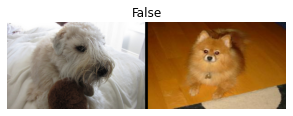
Use TfmdLists to apply a pipeline of transforms since we already built the tuple. If we wanted to apply multiple pipelines of transforms in parallale to buil tupes, we would use Datasets.
tls = TfmdLists(files, tfm, splits=splits)
show_at(tls.valid, 0);
dls = tls.dataloaders(after_item=[Resize(224), ToTensor], # ToTensor converts images to tensors (applied on every part of the tuple).
    after_batch=[IntToFloatTensor, Normalize.from_stats(*imagenet_stats)]) # IntToFloatTensor converts tensor of ints into tensor of floats and then divides by 255 to normalize pixels on 0-1 scale
We can now train a model using dls